GestureDetector
A control that detects gestures.
Attempts to recognize gestures that correspond to its non-None callbacks.
If this control has a content, it defers to that child control for
its sizing behavior, else it grows to fit the parent instead.
Inherits: LayoutControl, AdaptiveControl
Properties
allowed_devices- Restricts gesture recognition to the specified pointer device types.content- A child Control contained by the gesture detector.drag_interval- Throttling in milliseconds for horizontal drag, vertical drag and pan update events.exclude_from_semantics- Whether the gestures of this detector should be excluded from the semantics tree.hover_interval- Throttling in milliseconds foron_hoverevent.mouse_cursor- The mouse cursor for mouse pointers that are hovering over the control.multi_tap_touches- The minimum number of pointers to triggeron_multi_tapevent.trackpad_scroll_causes_scale- Whether trackpad scroll gestures should be interpreted as scale gestures.
Events
on_double_tap- The user has tapped the screen with a primary button at the same location twice in quick succession.on_double_tap_cancel- The pointer sequence that was expected to cause a double tap will not do so.on_double_tap_down- Called when a pointer that might cause a double tap has contacted the screen at a particular location.on_enter- Called when a mouse pointer has entered this control.on_exit- Called when a mouse pointer has exited this control.on_force_press_end- Called when the pointer that triggered a force press is no longer in contact with the screen.on_force_press_peak- Called when a pointer has pressed with a force exceeding the peak pressure.on_force_press_start- Called when a pointer has pressed with a force exceeding the start pressure.on_force_press_update- Called for each update after a force press has started.on_horizontal_drag_cancel- The pointer that previously triggeredon_horizontal_drag_downwill not end up causing a horizontal drag.on_horizontal_drag_down- Called when a pointer has contacted the screen and might begin to move horizontally.on_horizontal_drag_end- Called when a pointer moving horizontally is no longer in contact and was moving at a specific velocity.on_horizontal_drag_start- Called when a pointer has contacted the screen with a primary button and has begun to move horizontally.on_horizontal_drag_update- Called when a pointer that is in contact with the screen and moving horizontally has moved in the horizontal direction.on_hover- Called when a mouse pointer has entered this control.on_long_press- Called when a long press gesture with a primary button has been recognized.on_long_press_cancel- The pointer that previously triggeredon_long_press_downwill not end up causing a long-press.on_long_press_down- Called when a pointer that might cause a long press with a primary button has contacted the screen.on_long_press_end- Called when a pointer that has triggered a long-press with a primary button has stopped contacting the screen.on_long_press_move_update- Called when, after a long press has been accepted, the pointer moves.on_long_press_start- Triggered when a pointer has remained in contact with the screen at the same location for a long period of time.on_long_press_up- Called when a pointer that has triggered a long press with a primary button is no longer in contact with the screen.on_multi_long_press- Called when a long press gesture with multiple pointers has been recognized.on_multi_tap- Called when multiple pointers contacted the screen.on_pan_cancel- The pointer that previously triggeredon_pan_downwill not end up causing a pan gesture.on_pan_down- Called when a pointer has contacted the screen and might begin to move.on_pan_end- Called when a pointer is no longer in contact and was moving at a specific velocity.on_pan_start- Called when a pointer has contacted the screen and has begun to move.on_pan_update- Called when a pointer that is in contact with the screen and moving has moved again.on_right_pan_end- A pointer with secondary button pressed is no longer in contact and was moving at a specific velocity.on_right_pan_start- Pointer has contacted the screen while secondary button pressed and has begun to move.on_right_pan_update- A pointer that is in contact with the screen, secondary button pressed and moving has moved again.on_scale_end- Called when an active scale gesture ends.on_scale_start- Called when the pointers in contact with the screen have established a focal point and initial scale of1.0.on_scale_update- Called when the focal point, scale factor, or rotation of an active scale gesture changes.on_scroll- Called when a pointer scroll event is received, such as a mouse wheel or trackpad scroll.on_secondary_long_press- Called when a long press gesture with a secondary button has been recognized.on_secondary_long_press_cancel- The pointer that previously triggeredon_secondary_long_press_downnot end up causing a long-press.on_secondary_long_press_down- Called when a pointer that might cause a long press with a secondary button has contacted the screen.on_secondary_long_press_end- Called when a pointer that has triggered a long-press with a secondary button has stopped contacting the screen.on_secondary_long_press_move_update- Called when, after a secondary long press has been accepted, the pointer moves.on_secondary_long_press_start- Triggered when a pointer has remained in contact with the screen at the same location for a long period of time.on_secondary_long_press_up- Called when a pointer that has triggered a long press with a secondary button is no longer in contact with the screen.on_secondary_tap- A tap with a secondary button has occurred.on_secondary_tap_cancel- The pointer that previously triggeredon_secondary_tap_downwill not end up causing a tap.on_secondary_tap_down- Called when a pointer that might cause a tap with a secondary button has contacted the screen at a particular location.on_secondary_tap_up- Called when a pointer that will trigger a tap with a secondary button has stopped contacting the screen at a particular location.on_tap- Called when a tap with a primary button has occurred.on_tap_cancel- The pointer that previously triggeredon_tap_downwill not end up causing a tap.on_tap_down- Called when a pointer that might cause a tap with a primary button has contacted the screen at a particular location.on_tap_move- Called when a pointer that triggered a tap has moved.on_tap_up- Called when a pointer that will trigger a tap with a primary button has stopped contacting the screen at a particular location.on_tertiary_long_press- Called when a long press gesture with a tertiary button has been recognized.on_tertiary_long_press_cancel- The pointer that previously triggeredon_tertiary_long_press_downwill not end up causing a long-press.on_tertiary_long_press_down- Called when a pointer that might cause a long press with a tertiary button has contacted the screen.on_tertiary_long_press_end- Called when a pointer that has triggered a long-press with a tertiary button has stopped contacting the screen.on_tertiary_long_press_move_update- Called when, after a tertiary long press has been accepted, the pointer moves.on_tertiary_long_press_start- Triggered when a pointer has remained in contact with the screen at the same location for a long period of time.on_tertiary_long_press_up- Called when a pointer that has triggered a long press with a tertiary button is no longer in contact with the screen.on_tertiary_tap_cancel- The pointer that previously triggeredon_tertiary_tap_downwill not end up causing a tap.on_tertiary_tap_down- Called when a pointer that might cause a tap with a tertiary button has contacted the screen at a particular location.on_tertiary_tap_up- Called when a pointer that will trigger a tap with a tertiary button has stopped contacting the screen at a particular location.on_vertical_drag_cancel- The pointer that previously triggeredon_vertical_drag_downwill not end up causing a vertical drag.on_vertical_drag_down- Called when a pointer has contacted the screen and might begin to move vertically.on_vertical_drag_end- Called when a pointer moving vertically is no longer in contact and was moving at a specific velocity.on_vertical_drag_start- Called when a pointer has contacted the screen and has begun to move vertically.on_vertical_drag_update- A pointer moving vertically has moved in the vertical direction.
Examples
Handling events
import flet as ft


def main(page: ft.Page):
    page.add(
        ft.SafeArea(
            content=ft.GestureDetector(
                hover_interval=50,
                on_tap=lambda e: print(e),
                on_tap_down=lambda e: print(e),
                on_tap_up=lambda e: print(e),
                on_secondary_tap=lambda e: print(e),
                on_secondary_tap_down=lambda e: print(e),
                on_secondary_tap_up=lambda e: print(e),
                on_long_press_start=lambda e: print(e),
                on_long_press_end=lambda e: print(e),
                on_secondary_long_press_start=lambda e: print(e),
                on_secondary_long_press_end=lambda e: print(e),
                on_double_tap=lambda e: print(e),
                on_double_tap_down=lambda e: print(e),
                on_pan_start=lambda e: print(e),
                on_pan_update=lambda e: print(e),
                on_pan_end=lambda e: print(e),
                on_hover=lambda e: print(e),
                on_enter=lambda e: print(e),
                on_exit=lambda e: print(e),
                content=ft.Container(
                    bgcolor=ft.Colors.GREEN,
                    width=200,
                    height=200,
                ),
            ),
        )
    )


if __name__ == "__main__":
    ft.run(main)
Draggable containers
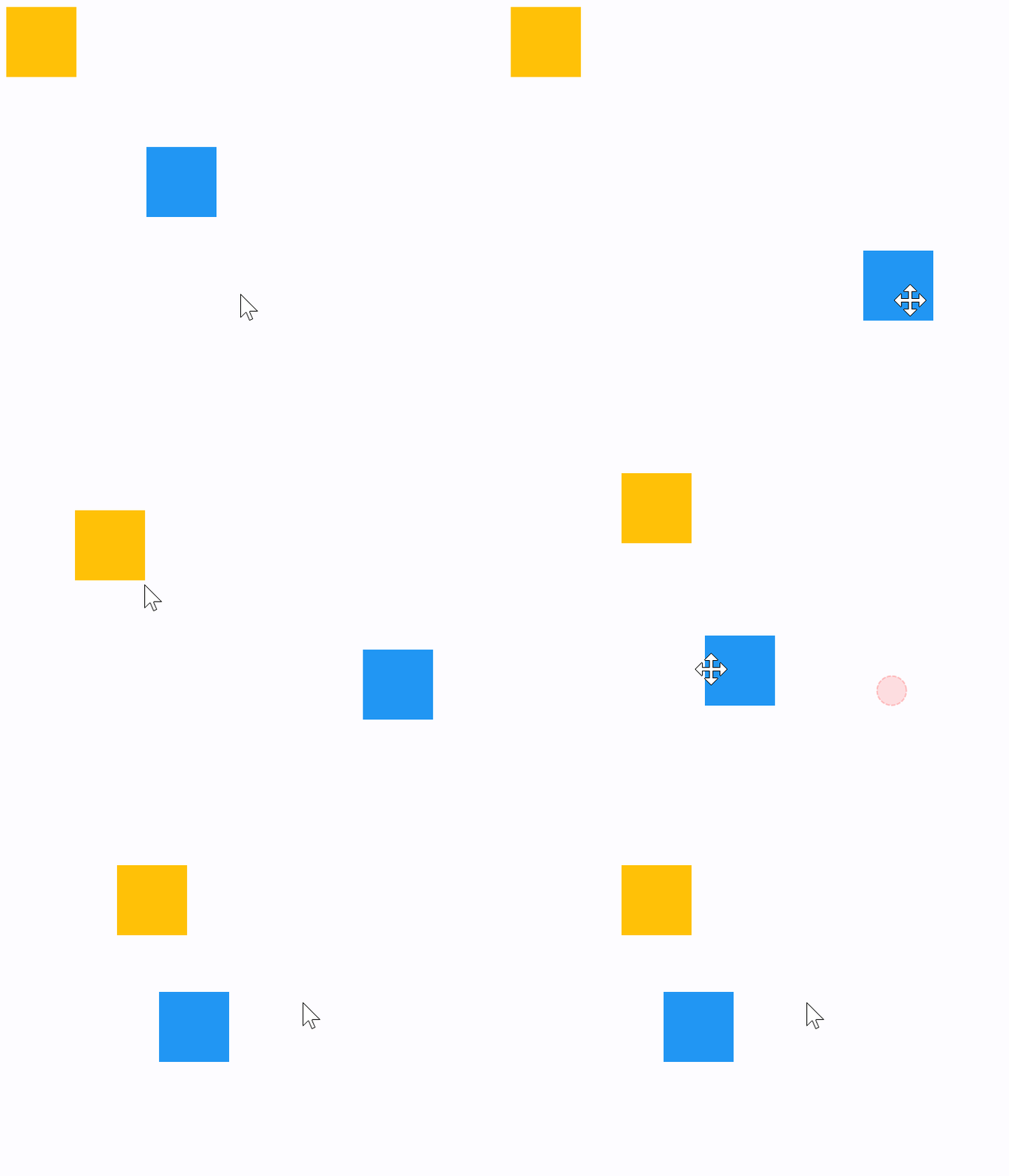
The following example demonstrates how a control can be freely dragged inside a Stack.
The sample also shows that GestureDetector can have a child control (blue container) as well as be nested inside another control (yellow container) giving the same results.
import flet as ft


def main(page: ft.Page):
    def handle_pan_update1(e: ft.DragUpdateEvent[ft.GestureDetector]):
        container = e.control.parent
        container.top = max(0.0, container.top + e.local_delta.y)
        container.left = max(0.0, container.left + e.local_delta.x)
        container.update()

    def handle_pan_update2(e: ft.DragUpdateEvent[ft.GestureDetector]):
        e.control.top = max(0.0, e.control.top + e.local_delta.y)
        e.control.left = max(0.0, e.control.left + e.local_delta.x)
        e.control.update()

    page.add(
        ft.SafeArea(
            content=ft.Stack(
                width=1000,
                height=500,
                controls=[
                    ft.Container(
                        bgcolor=ft.Colors.AMBER,
                        width=50,
                        height=50,
                        left=0,
                        top=0,
                        content=ft.GestureDetector(
                            mouse_cursor=ft.MouseCursor.MOVE,
                            drag_interval=10,
                            on_pan_update=handle_pan_update1,
                        ),
                    ),
                    ft.GestureDetector(
                        mouse_cursor=ft.MouseCursor.MOVE,
                        drag_interval=10,
                        on_vertical_drag_update=handle_pan_update2,
                        left=100,
                        top=100,
                        content=ft.Container(
                            bgcolor=ft.Colors.BLUE,
                            width=50,
                            height=50,
                        ),
                    ),
                ],
            ),
        )
    )


if __name__ == "__main__":
    ft.run(main)
Window drag area
import flet as ft


def main(page: ft.Page):
    def on_pan_update(e: ft.DragUpdateEvent[ft.GestureDetector]):
        page.window.left += e.global_delta.x
        page.window.top += e.global_delta.y

    page.add(
        ft.SafeArea(
            content=ft.Stack(
                width=1000,
                height=500,
                controls=[
                    ft.GestureDetector(
                        mouse_cursor=ft.MouseCursor.MOVE,
                        on_pan_update=on_pan_update,
                        left=200,
                        top=200,
                        content=ft.Container(
                            bgcolor=ft.Colors.PINK,
                            width=50,
                            height=50,
                        ),
                    ),
                ],
            ),
        )
    )


if __name__ == "__main__":
    ft.run(main)
Mouse cursors
import random

import flet as ft


def main(page: ft.Page):
    def on_pan_update(event: ft.DragUpdateEvent[ft.GestureDetector]):
        container.top = max(0.0, container.top + event.local_delta.y)
        container.left = max(0.0, container.left + event.local_delta.x)
        container.update()

    gesture_detector = ft.GestureDetector(
        mouse_cursor=ft.MouseCursor.BASIC,
        drag_interval=50,
        on_pan_update=on_pan_update,
    )
    container = ft.Container(
        bgcolor=ft.Colors.AMBER,
        width=150,
        height=150,
        left=0,
        top=0,
        content=gesture_detector,
    )

    def handle_button_click(e: ft.Event[ft.Button]):
        gesture_detector.mouse_cursor = random.choice(list(ft.MouseCursor))
        text.value = f"Mouse Cursor:  {gesture_detector.mouse_cursor}"
        gesture_detector.update()
        text.update()

    page.add(
        ft.SafeArea(
            content=ft.Column(
                controls=[
                    ft.Stack(
                        width=1000,
                        height=500,
                        controls=[container],
                    ),
                    ft.Button("Change mouse Cursor", on_click=handle_button_click),
                    text := ft.Text(f"Mouse Cursor:  {gesture_detector.mouse_cursor}"),
                ],
            ),
        )
    )


if __name__ == "__main__":
    ft.run(main)
Properties
allowed_devicesclass-attributeinstance-attribute
allowed_devices: list[PointerDeviceType] | None = NoneRestricts gesture recognition to the specified pointer device types.
If None, gestures from any supported input device can be recognized.
contentclass-attributeinstance-attribute
content: Control | None = NoneA child Control contained by the gesture detector.
drag_intervalclass-attributeinstance-attribute
drag_interval: int = 0Throttling in milliseconds for horizontal drag, vertical drag and pan update events.
When a user moves a pointer a lot of events are being generated to do precise
tracking. drag_interval allows sending drag update events to a Flet program every
X milliseconds, thus preserving the bandwidth (web and mobile apps).
0 means no throttling: all events are sent to a Flet program,
resulting in very smooth tracking.
exclude_from_semanticsclass-attributeinstance-attribute
exclude_from_semantics: bool = FalseWhether the gestures of this detector should be excluded from the semantics tree.
Set this to True when the wrapped content already exposes the appropriate
semantic actions and you do not want this detector to add duplicate accessibility
announcements.
hover_intervalclass-attributeinstance-attribute
hover_interval: int = 0Throttling in milliseconds for on_hover event.
mouse_cursorclass-attributeinstance-attribute
mouse_cursor: MouseCursor | None = NoneThe mouse cursor for mouse pointers that are hovering over the control.
multi_tap_touchesclass-attributeinstance-attribute
multi_tap_touches: int = 0The minimum number of pointers to trigger on_multi_tap event.
trackpad_scroll_causes_scaleclass-attributeinstance-attribute
trackpad_scroll_causes_scale: bool = FalseWhether trackpad scroll gestures should be interpreted as scale gestures.
When enabled, compatible trackpad pinch/scroll input can trigger
on_scale_start, on_scale_update, and on_scale_end.
Events
on_double_tapclass-attributeinstance-attribute
on_double_tap: (
    ControlEventHandler[GestureDetector] | None
) = None
The user has tapped the screen with a primary button at the same location twice in quick succession.
on_double_tap_cancelclass-attributeinstance-attribute
on_double_tap_cancel: (
    ControlEventHandler[GestureDetector] | None
) = None
The pointer sequence that was expected to cause a double tap will not do so.
on_double_tap_downclass-attributeinstance-attribute
on_double_tap_down: (
    EventHandler[TapEvent[GestureDetector]] | None
) = None
Called when a pointer that might cause a double tap has contacted the screen at a particular location.
Triggered immediately after the down event of the second tap.
on_enterclass-attributeinstance-attribute
on_enter: (
    EventHandler[HoverEvent[GestureDetector]] | None
) = None
Called when a mouse pointer has entered this control.
on_exitclass-attributeinstance-attribute
on_exit: (
    EventHandler[HoverEvent[GestureDetector]] | None
) = None
Called when a mouse pointer has exited this control.
on_force_press_endclass-attributeinstance-attribute
on_force_press_end: (
    EventHandler[ForcePressEvent[GestureDetector]] | None
) = None
Called when the pointer that triggered a force press is no longer in contact with the screen.
on_force_press_peakclass-attributeinstance-attribute
on_force_press_peak: (
    EventHandler[ForcePressEvent[GestureDetector]] | None
) = None
Called when a pointer has pressed with a force exceeding the peak pressure.
on_force_press_startclass-attributeinstance-attribute
on_force_press_start: (
    EventHandler[ForcePressEvent[GestureDetector]] | None
) = None
Called when a pointer has pressed with a force exceeding the start pressure.
on_force_press_updateclass-attributeinstance-attribute
on_force_press_update: (
    EventHandler[ForcePressEvent[GestureDetector]] | None
) = None
Called for each update after a force press has started.
on_horizontal_drag_cancelclass-attributeinstance-attribute
on_horizontal_drag_cancel: (
    ControlEventHandler[GestureDetector] | None
) = None
The pointer that previously triggered on_horizontal_drag_down
will not end up causing a horizontal drag.
on_horizontal_drag_downclass-attributeinstance-attribute
on_horizontal_drag_down: (
    EventHandler[DragDownEvent[GestureDetector]] | None
) = None
Called when a pointer has contacted the screen and might begin to move horizontally.
on_horizontal_drag_endclass-attributeinstance-attribute
on_horizontal_drag_end: (
    EventHandler[DragEndEvent[GestureDetector]] | None
) = None
Called when a pointer moving horizontally is no longer in contact and was moving at a specific velocity.
on_horizontal_drag_startclass-attributeinstance-attribute
on_horizontal_drag_start: (
    EventHandler[DragStartEvent[GestureDetector]] | None
) = None
Called when a pointer has contacted the screen with a primary button and has begun to move horizontally.
on_horizontal_drag_updateclass-attributeinstance-attribute
on_horizontal_drag_update: (
    EventHandler[DragUpdateEvent[GestureDetector]] | None
) = None
Called when a pointer that is in contact with the screen and moving horizontally has moved in the horizontal direction.
on_hoverclass-attributeinstance-attribute
on_hover: (
    EventHandler[HoverEvent[GestureDetector]] | None
) = None
Called when a mouse pointer has entered this control.
on_long_pressclass-attributeinstance-attribute
on_long_press: (
    ControlEventHandler[GestureDetector] | None
) = None
Called when a long press gesture with a primary button has been recognized.
on_long_press_cancelclass-attributeinstance-attribute
on_long_press_cancel: (
    ControlEventHandler[GestureDetector] | None
) = None
The pointer that previously triggered on_long_press_down
will not end up causing a long-press.
on_long_press_downclass-attributeinstance-attribute
on_long_press_down: (
    EventHandler[LongPressDownEvent[GestureDetector]] | None
) = None
Called when a pointer that might cause a long press with a primary button has contacted the screen.
on_long_press_endclass-attributeinstance-attribute
on_long_press_end: (
    EventHandler[LongPressEndEvent[GestureDetector]] | None
) = None
Called when a pointer that has triggered a long-press with a primary button has stopped contacting the screen.
on_long_press_move_updateclass-attributeinstance-attribute
on_long_press_move_update: (
    EventHandler[LongPressMoveUpdateEvent[GestureDetector]]
    | None
) = None
Called when, after a long press has been accepted, the pointer moves.
on_long_press_startclass-attributeinstance-attribute
on_long_press_start: (
    EventHandler[LongPressStartEvent[GestureDetector]]
    | None
) = None
Triggered when a pointer has remained in contact with the screen at the same location for a long period of time.
on_long_press_upclass-attributeinstance-attribute
on_long_press_up: (
    ControlEventHandler[GestureDetector] | None
) = None
Called when a pointer that has triggered a long press with a primary button is no longer in contact with the screen.
on_multi_long_pressclass-attributeinstance-attribute
on_multi_long_press: (
    EventHandler[LongPressEndEvent[GestureDetector]] | None
) = None
Called when a long press gesture with multiple pointers has been recognized.
on_multi_tapclass-attributeinstance-attribute
on_multi_tap: (
    EventHandler[TapEvent[GestureDetector]] | None
) = None
Called when multiple pointers contacted the screen.
on_pan_cancelclass-attributeinstance-attribute
on_pan_cancel: (
    ControlEventHandler[GestureDetector] | None
) = None
The pointer that previously triggered on_pan_down will not end up causing a pan gesture.
on_pan_downclass-attributeinstance-attribute
on_pan_down: (
    EventHandler[DragDownEvent[GestureDetector]] | None
) = None
Called when a pointer has contacted the screen and might begin to move.
on_pan_endclass-attributeinstance-attribute
on_pan_end: (
    EventHandler[DragEndEvent[GestureDetector]] | None
) = None
Called when a pointer is no longer in contact and was moving at a specific velocity.
on_pan_startclass-attributeinstance-attribute
on_pan_start: (
    EventHandler[DragStartEvent[GestureDetector]] | None
) = None
Called when a pointer has contacted the screen and has begun to move.
on_pan_updateclass-attributeinstance-attribute
on_pan_update: (
    EventHandler[DragUpdateEvent[GestureDetector]] | None
) = None
Called when a pointer that is in contact with the screen and moving has moved again.
on_right_pan_endclass-attributeinstance-attribute
on_right_pan_end: (
    EventHandler[PointerEvent[GestureDetector]] | None
) = None
A pointer with secondary button pressed is no longer in contact and was moving at a specific velocity.
on_right_pan_startclass-attributeinstance-attribute
on_right_pan_start: (
    EventHandler[PointerEvent[GestureDetector]] | None
) = None
Pointer has contacted the screen while secondary button pressed and has begun to move.
on_right_pan_updateclass-attributeinstance-attribute
on_right_pan_update: (
    EventHandler[PointerEvent[GestureDetector]] | None
) = None
A pointer that is in contact with the screen, secondary button pressed and moving has moved again.
on_scale_endclass-attributeinstance-attribute
on_scale_end: (
    EventHandler[ScaleEndEvent[GestureDetector]] | None
) = None
Called when an active scale gesture ends.
on_scale_startclass-attributeinstance-attribute
on_scale_start: (
    EventHandler[ScaleStartEvent[GestureDetector]] | None
) = None
Called when the pointers in contact with the screen have established a focal point and initial scale of 1.0.
on_scale_updateclass-attributeinstance-attribute
on_scale_update: (
    EventHandler[ScaleUpdateEvent[GestureDetector]] | None
) = None
Called when the focal point, scale factor, or rotation of an active scale gesture changes.
on_scrollclass-attributeinstance-attribute
on_scroll: (
    EventHandler[ScrollEvent[GestureDetector]] | None
) = None
Called when a pointer scroll event is received, such as a mouse wheel or trackpad scroll.
on_secondary_long_pressclass-attributeinstance-attribute
on_secondary_long_press: (
    ControlEventHandler[GestureDetector] | None
) = None
Called when a long press gesture with a secondary button has been recognized.
on_secondary_long_press_cancelclass-attributeinstance-attribute
on_secondary_long_press_cancel: (
    ControlEventHandler[GestureDetector] | None
) = None
The pointer that previously triggered on_secondary_long_press_down
not end up causing a long-press.
on_secondary_long_press_downclass-attributeinstance-attribute
on_secondary_long_press_down: (
    EventHandler[LongPressDownEvent[GestureDetector]] | None
) = None
Called when a pointer that might cause a long press with a secondary button has contacted the screen.
on_secondary_long_press_endclass-attributeinstance-attribute
on_secondary_long_press_end: (
    EventHandler[LongPressEndEvent[GestureDetector]] | None
) = None
Called when a pointer that has triggered a long-press with a secondary button has stopped contacting the screen.
on_secondary_long_press_move_updateclass-attributeinstance-attribute
on_secondary_long_press_move_update: (
    EventHandler[LongPressMoveUpdateEvent[GestureDetector]]
    | None
) = None
Called when, after a secondary long press has been accepted, the pointer moves.
on_secondary_long_press_startclass-attributeinstance-attribute
on_secondary_long_press_start: (
    EventHandler[LongPressStartEvent[GestureDetector]]
    | None
) = None
Triggered when a pointer has remained in contact with the screen at the same location for a long period of time.
on_secondary_long_press_upclass-attributeinstance-attribute
on_secondary_long_press_up: (
    ControlEventHandler[GestureDetector] | None
) = None
Called when a pointer that has triggered a long press with a secondary button is no longer in contact with the screen.
on_secondary_tapclass-attributeinstance-attribute
on_secondary_tap: (
    ControlEventHandler[GestureDetector] | None
) = None
A tap with a secondary button has occurred.
on_secondary_tap_cancelclass-attributeinstance-attribute
on_secondary_tap_cancel: (
    ControlEventHandler[GestureDetector] | None
) = None
The pointer that previously triggered on_secondary_tap_down
will not end up causing a tap.
on_secondary_tap_downclass-attributeinstance-attribute
on_secondary_tap_down: (
    EventHandler[TapEvent[GestureDetector]] | None
) = None
Called when a pointer that might cause a tap with a secondary button has contacted the screen at a particular location.
on_secondary_tap_upclass-attributeinstance-attribute
on_secondary_tap_up: (
    EventHandler[TapEvent[GestureDetector]] | None
) = None
Called when a pointer that will trigger a tap with a secondary button has stopped contacting the screen at a particular location.
on_tapclass-attributeinstance-attribute
on_tap: EventHandler[TapEvent[GestureDetector]] | None = (
    None
)
Called when a tap with a primary button has occurred.
on_tap_cancelclass-attributeinstance-attribute
on_tap_cancel: (
    ControlEventHandler[GestureDetector] | None
) = None
The pointer that previously triggered on_tap_down will not end up causing a tap.
on_tap_downclass-attributeinstance-attribute
on_tap_down: (
    EventHandler[TapEvent[GestureDetector]] | None
) = None
Called when a pointer that might cause a tap with a primary button has contacted the screen at a particular location.
on_tap_moveclass-attributeinstance-attribute
on_tap_move: (
    EventHandler[TapMoveEvent[GestureDetector]] | None
) = None
Called when a pointer that triggered a tap has moved.
on_tap_upclass-attributeinstance-attribute
on_tap_up: (
    EventHandler[TapEvent[GestureDetector]] | None
) = None
Called when a pointer that will trigger a tap with a primary button has stopped contacting the screen at a particular location.
on_tertiary_long_pressclass-attributeinstance-attribute
on_tertiary_long_press: (
    ControlEventHandler[GestureDetector] | None
) = None
Called when a long press gesture with a tertiary button has been recognized.
on_tertiary_long_press_cancelclass-attributeinstance-attribute
on_tertiary_long_press_cancel: (
    ControlEventHandler[GestureDetector] | None
) = None
The pointer that previously triggered on_tertiary_long_press_down
will not end up causing a long-press.
on_tertiary_long_press_downclass-attributeinstance-attribute
on_tertiary_long_press_down: (
    EventHandler[LongPressDownEvent[GestureDetector]] | None
) = None
Called when a pointer that might cause a long press with a tertiary button has contacted the screen.
on_tertiary_long_press_endclass-attributeinstance-attribute
on_tertiary_long_press_end: (
    EventHandler[LongPressEndEvent[GestureDetector]] | None
) = None
Called when a pointer that has triggered a long-press with a tertiary button has stopped contacting the screen.
on_tertiary_long_press_move_updateclass-attributeinstance-attribute
on_tertiary_long_press_move_update: (
    EventHandler[LongPressMoveUpdateEvent[GestureDetector]]
    | None
) = None
Called when, after a tertiary long press has been accepted, the pointer moves.
on_tertiary_long_press_startclass-attributeinstance-attribute
on_tertiary_long_press_start: (
    EventHandler[LongPressStartEvent[GestureDetector]]
    | None
) = None
Triggered when a pointer has remained in contact with the screen at the same location for a long period of time.
on_tertiary_long_press_upclass-attributeinstance-attribute
on_tertiary_long_press_up: (
    ControlEventHandler[GestureDetector] | None
) = None
Called when a pointer that has triggered a long press with a tertiary button is no longer in contact with the screen.
on_tertiary_tap_cancelclass-attributeinstance-attribute
on_tertiary_tap_cancel: (
    ControlEventHandler[GestureDetector] | None
) = None
The pointer that previously triggered on_tertiary_tap_down
will not end up causing a tap.
on_tertiary_tap_downclass-attributeinstance-attribute
on_tertiary_tap_down: (
    EventHandler[TapEvent[GestureDetector]] | None
) = None
Called when a pointer that might cause a tap with a tertiary button has contacted the screen at a particular location.
on_tertiary_tap_upclass-attributeinstance-attribute
on_tertiary_tap_up: (
    EventHandler[TapEvent[GestureDetector]] | None
) = None
Called when a pointer that will trigger a tap with a tertiary button has stopped contacting the screen at a particular location.
on_vertical_drag_cancelclass-attributeinstance-attribute
on_vertical_drag_cancel: (
    ControlEventHandler[GestureDetector] | None
) = None
The pointer that previously triggered on_vertical_drag_down
will not end up causing a vertical drag.
on_vertical_drag_downclass-attributeinstance-attribute
on_vertical_drag_down: (
    EventHandler[DragDownEvent[GestureDetector]] | None
) = None
Called when a pointer has contacted the screen and might begin to move vertically.
on_vertical_drag_endclass-attributeinstance-attribute
on_vertical_drag_end: (
    EventHandler[DragEndEvent[GestureDetector]] | None
) = None
Called when a pointer moving vertically is no longer in contact and was moving at a specific velocity.
on_vertical_drag_startclass-attributeinstance-attribute
on_vertical_drag_start: (
    EventHandler[DragStartEvent[GestureDetector]] | None
) = None
Called when a pointer has contacted the screen and has begun to move vertically.
on_vertical_drag_updateclass-attributeinstance-attribute
on_vertical_drag_update: (
    EventHandler[DragUpdateEvent[GestureDetector]] | None
) = None
A pointer moving vertically has moved in the vertical direction.